For over two decades, Pogo Games has been a premier destination for casual online gaming. Millions of players flock to the platform daily to enjoy classic card games, word puzzles, and arcade favorites. However, just like any online platform, tech glitches, billing problems, or login errors can happen. When an issue disrupts your gaming streak, knowing exactly how to contact pogo games customer service is essential to get back on track quickly.
Navigating customer support can sometimes feel like solving a complex puzzle. This comprehensive guide details the verified, official methods to connect with technical and billing support, troubleshooting tricks for common issues, and critical warning signs to keep your account safe from online scams.
The Reality Check: Is There a Direct Phone Number?
Before exploring the methods to reach out for help, it is vital to clear up a common misconception that often targets Pogo players.
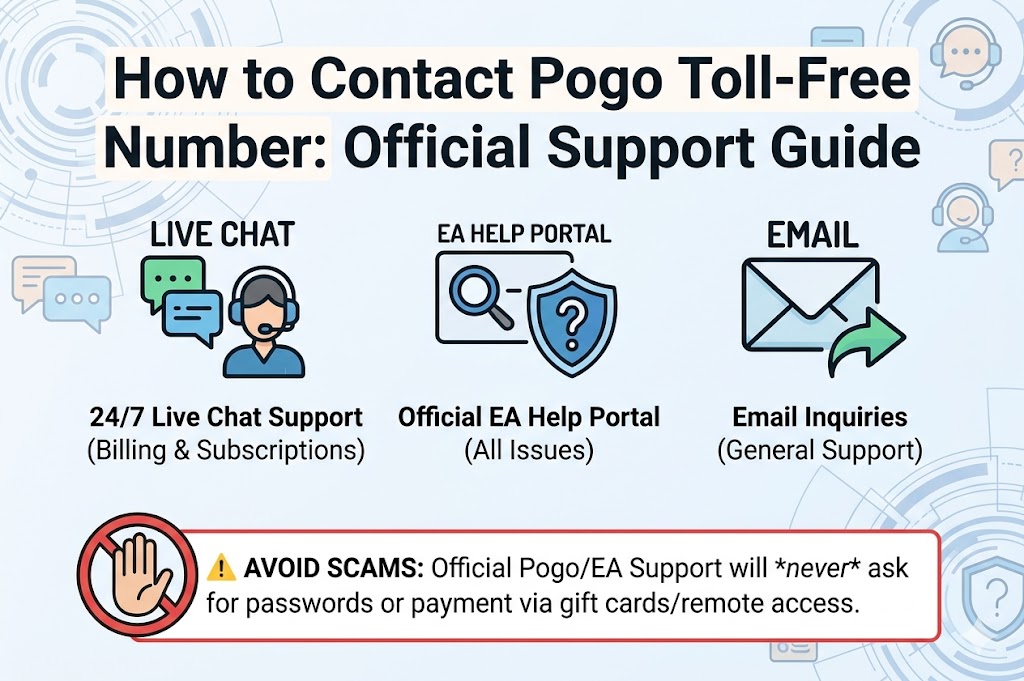
Important Security Warning: There is no longer a public, direct inbound toll-free phone number for Pogo Games customer service.
Many third-party websites list fake customer support phone numbers claiming to connect you directly to Pogo or its parent company, Electronic Arts (EA). Dialing these numbers often leads to independent, third-party tech scammers who may attempt to charge hefty fees or ask for your account password. Never share your password or personal banking credentials with anyone over the phone. To safely speak with a representative, always initiate contact through the official channels listed below.
Official Methods to Contact Pogo Games Customer Service
Because Pogo is owned and operated by Electronic Arts, its official customer support infrastructure is integrated entirely with the EA Help eco-system. Depending on your issue and account tier (Free or Club Pogo), you can access support through several official avenues.
1. The Official EA Help Portal (Recommended)
The most direct and secure way to open a support ticket or speak with an agent is through the unified EA Help ecosystem.
Follow these exact steps to initiate a valid case:
- Step 1: Navigate to the official EA Help Portal.
- Step 2: Click on Help with a Game and select or search for Pogo.
- Step 3: Browse the primary categories (Manage My Account, Security, Billing, or Technical Support) to pinpoint your issue.
- Step 4: Scroll to the bottom of the page and click the orange Contact Us button.
- Step 5: Select your specific topic and platform from the dropdown menus, then click Next.
- Step 6: Log in using your Pogo username and password (ensure your browser allows third-party cookies for a seamless redirect).
Once logged in, the system dynamically offers the best contact options available based on your specific issue.
2. Live Chat Support
Live Chat is the fastest way to resolve an active technical or billing issue. However, availability varies based on your membership status.
- Club Pogo Members: Premium subscribers enjoy priority access to real-time Live Chat Support for most account, billing, and technical categories.
- Free Account Users: Free tier players may find Live Chat restricted to urgent account recovery or severe billing security matters, with general game glitches redirected to self-help options.
3. The “Call Me” Call-Back Feature
While you cannot dial inbound to Pogo, EA provides a “Call Me” callback option within the contact portal for severe account management or billing inquiries. If this option appears under your available support choices, click it, enter your active phone number, and a certified EA Advisor will call you directly. This guarantees you are speaking with a legitimate representative without risking contact with scammers.
4. EA Answers HQ (Community Forums)
If your inquiry involves a general gameplay mechanic, a bug affecting multiple users, or a missing badge, the EA Answers HQ forum is an invaluable asset. This platform is actively monitored by community managers, game developers, and expert players who regularly post workarounds for active bugs.
Comparing Pogo Contact Channels
| Support Channel | Best Used For | Availability | Average Response Time |
| Official EA Help Portal | All account, password, and billing inquiries | 24/7 (Self-Service) | Instant access to forms |
| Live Chat Support | Immediate troubleshooting & premium Club Pogo assistance | 24/7 (Varies by issue/tier) | 5–15 minutes |
| “Call Me” Callback | Complex billing issues or account locks | Business hours | 10–30 minutes |
| EA Answers HQ Forum | Non-urgent bugs, game updates, and community advice | 24/7 Community | A few hours to a day |
Troubleshooting Common Pogo Issues Before Contacting Support
Many common interruptions can be fixed with quick adjustments on your end, saving you the time it takes to open a support ticket.
Game Loading & Browser Freezes
Modern Pogo games run on HTML5 technology rather than outdated Java plugins. If your games fail to load or get stuck on a black screen, try these quick fixes:
- Clear Browser Cache: Accumulated temporary files can block game updates. Access your browser settings, clear your history/cache, and restart your browser.
- Update Your Browser: Pogo functions best on updated versions of Google Chrome, Mozilla Firefox, or Microsoft Edge.
- Disable Outdated Extensions: Certain ad-blockers or aggressive privacy extensions mistake script-heavy online games for pop-ups. Temporarily disable extensions to test if loading improves.
Subscription & Billing Issues
If your Club Pogo membership didn’t automatically renew, or you need to update an expired credit card:
- Avoid waiting in chat queues by logging into your account and heading straight to your Pogo Billing Profile.
- If you see an unverified charge, open a secure ticket under the Billing/Refunds category inside EA Help to safely process your request.
Summary of Best Practices for Fast Resolutions
When you prepare to contact pogo games customer service, utilizing these best practices will help the support agent resolve your problem swiftly:
- Gather Your Details: Know your exact Pogo screen name, the primary email address linked to the account, and any error codes displayed on your screen.
- Be Specific: Instead of writing “the game won’t work,” specify details like “Monopoly Slots stalls at 45% loading on Google Chrome.”
- Keep It Official: Never search for phone numbers via public search engines. Always begin your journey at the authenticated Pogo Support Page on EA Help.
By sticking to these verified channels, you can secure your account data, bypass third-party risks, and resume playing your favorite games with minimal delay.